 LotsSocial
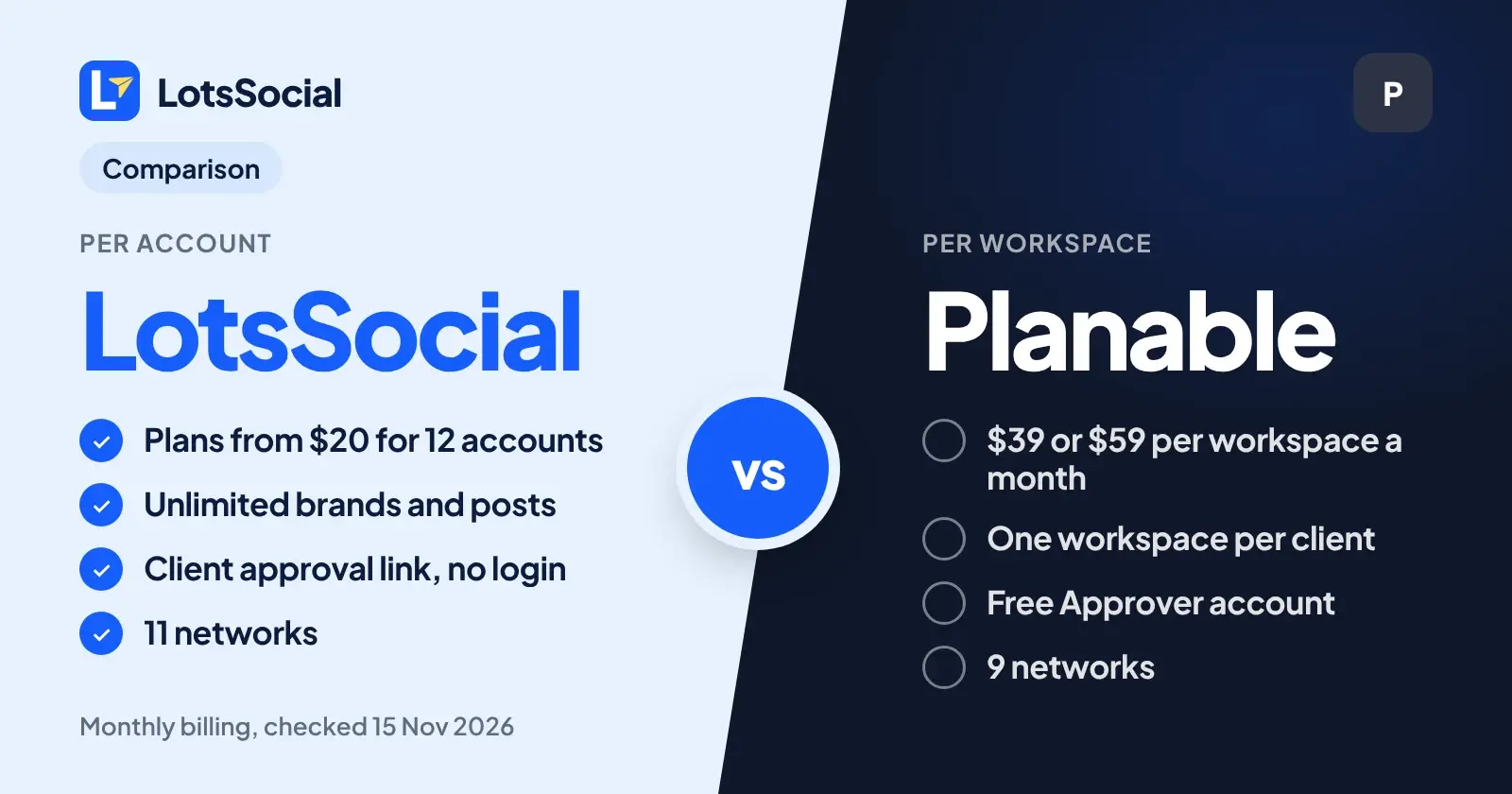
If you run social accounts for clients and want them to approve posts without paying for a separate workspace per client, LotsSocial is the fit: I priced it per connected account, so one plan covers every brand, and a client approves from a link with no login. Planable is the stronger pick when you need required sign-off, several approval stages and an audit trail inside a visual calendar. I built LotsSocial, so I've kept every Planable fact below to what Planable's own pages say. Checked on 14 November 2026.
The short version
| LotsSocial | Planable | |
|---|---|---|
| What you pay for | Connected social accounts | Workspaces (one per client, brand or location) |
| Prices (monthly billing) | Starter $20 for 12 accounts, Pro $59 for 40, Business $149 for 150 | Basic $39 and Pro $59 per workspace per month, Enterprise custom |
| Brands and clients | Unlimited, one plan | One workspace each, each billed |
| Posts | Unlimited | 60 (Basic) or 150 (Pro) per workspace per month |
| Client approval | Approval link, no login | Free Approver account |
| Networks | 11 | 9 |
| AI agent | MCP and REST API on every plan, agent can schedule or publish | MCP connector creates drafts, API on Pro and Enterprise |
Pricing: per account or per workspace
LotsSocial charges for connected social accounts and nothing else. Starter is $20 a month for 12 accounts, Pro is $59 for 40 and Business is $149 for 150, and without a plan each account is $2 a month. Posts, media storage, brands, workspaces and team members are unlimited. The live numbers are on the LotsSocial pricing page, and I explain every option in LotsSocial Pricing Explained.
Planable charges per workspace. On its pricing page Basic is $39 per workspace per month on monthly billing ($33 on yearly billing) and Pro is $59 on monthly billing ($49 on yearly billing). Planable says a workspace is a dedicated space for one client, brand or location, and that managing 5 clients means 5 workspaces. Basic includes 4 social pages and 60 posts per workspace per month. Pro includes 10 social pages and 150 posts per workspace per month. Users are unlimited on both.
Two examples, using those listed prices:
- An agency with 5 clients and 8 accounts each (40 accounts). Basic's 4 pages per workspace is too few, so that is Planable Pro in 5 workspaces: 5 x $59 = $295 a month on monthly billing, or 5 x $49 = $245 a month on yearly billing. LotsSocial Pro is $59 a month for the same 40 accounts across all 5 brands.
- A founder with 4 accounts. Planable Basic is $39 a month on monthly billing ($33 yearly). On LotsSocial that is 4 x $2 = $8 a month with no plan.
Client approvals
Planable's approvals are the reason people pick it, and its approvals page lists four workflows: none, optional, required and multi-level. Required approval is on Pro and Enterprise, multi-level (sequential stages such as designer, legal, then client) is on Enterprise. It also has automatic reminders, bulk approval, a lock after approval, and an audit trail. Clients are invited as Approvers, a free role that doesn't use a paid seat. Planable says a public share link lets anyone view and comment without an account, but approving needs an Approver account.
LotsSocial's approval is simpler and needs nothing from the client. Here is how it works:
- You or your agent save the client's posts with
request_approval: true. They never publish while they wait. - Your agent calls
get_connect_linkwith purposeapprovaland the brand, and gives you the link. It lasts up to 7 days and the URL is shown once. - The client opens it, approves or rejects each post and can leave a comment. No LotsSocial login, no account.
- Your agent reads the decision and comment in
client_feedback. For a rejected post it edits the text and saves it, and the post waits for approval again.
The agent can ask for approval but never approve or reject for the client. Changing the content of an approved post asks again. If your clients just need to say yes or no on a link, this is the shorter path. If you need required approval across stages, Planable has more.
Networks and AI agents
LotsSocial supports 11 networks: Facebook, Instagram, X, LinkedIn, YouTube, TikTok, Pinterest, Threads, Bluesky, Mastodon and Google Business. Planable lists 9: Facebook, Instagram, LinkedIn, X, YouTube, TikTok, Pinterest, Google Business Profile and Threads. Bluesky and Mastodon are the two LotsSocial adds.
On the AI side, my MCP server and REST API come with every plan, and your agent can validate, schedule, publish and read results. Planable's integrations page says posts created through its MCP connector are saved as drafts and AI assistants cannot publish them directly, which fits an approval-first tool. Its Public API is on Pro and Enterprise. For the setup on my side, see the LotsSocial setup guides.
Where Planable is stronger
Planable has a visual planning workspace with feed, calendar and grid views, a Social inbox and Analytics as paid add-ons, and integrations with Slack, Zapier and Canva. It also reviews content that is not social, such as newsletters and blog posts. If your day is a team reviewing posts together in one calendar, that is what it is built for.
If you are an agency that runs clients from an agent, my roundup of schedulers for agencies with client connect links and the agency guide cover the rest of the workflow. If you are weighing other tools, I compared them in Publer alternatives for people who use an AI agent.
FAQ
Is LotsSocial a Planable alternative for client approvals?
Yes, for agencies whose clients only need to approve or reject posts. A LotsSocial client approval link works without a login, per brand, with an optional comment. Planable offers deeper approval workflows, including required and multi-level approval.
How much does Planable cost compared with LotsSocial?
Planable Basic is $39 and Pro is $59 per workspace per month on monthly billing, with one workspace per client. LotsSocial Starter is $20 for 12 accounts, Pro is $59 for 40 accounts and Business is $149 for 150 accounts, with unlimited brands. Checked on 14 November 2026.
Do clients need an account to approve posts?
On LotsSocial, no: the client opens an approval link and approves or rejects without a LotsSocial login. On Planable, clients need a free Approver account to approve, according to Planable's approvals page.
Can an AI agent publish posts in each tool?
On LotsSocial your agent can schedule posts or publish them right away after you confirm. Planable says posts created through its MCP connector are saved as drafts and AI assistants cannot publish them directly.
Which social networks does each tool support?
LotsSocial supports 11 networks: Facebook, Instagram, X, LinkedIn, YouTube, TikTok, Pinterest, Threads, Bluesky, Mastodon and Google Business. Planable lists 9: Facebook, Instagram, LinkedIn, X, YouTube, TikTok, Pinterest, Google Business Profile and Threads.