 LotsSocial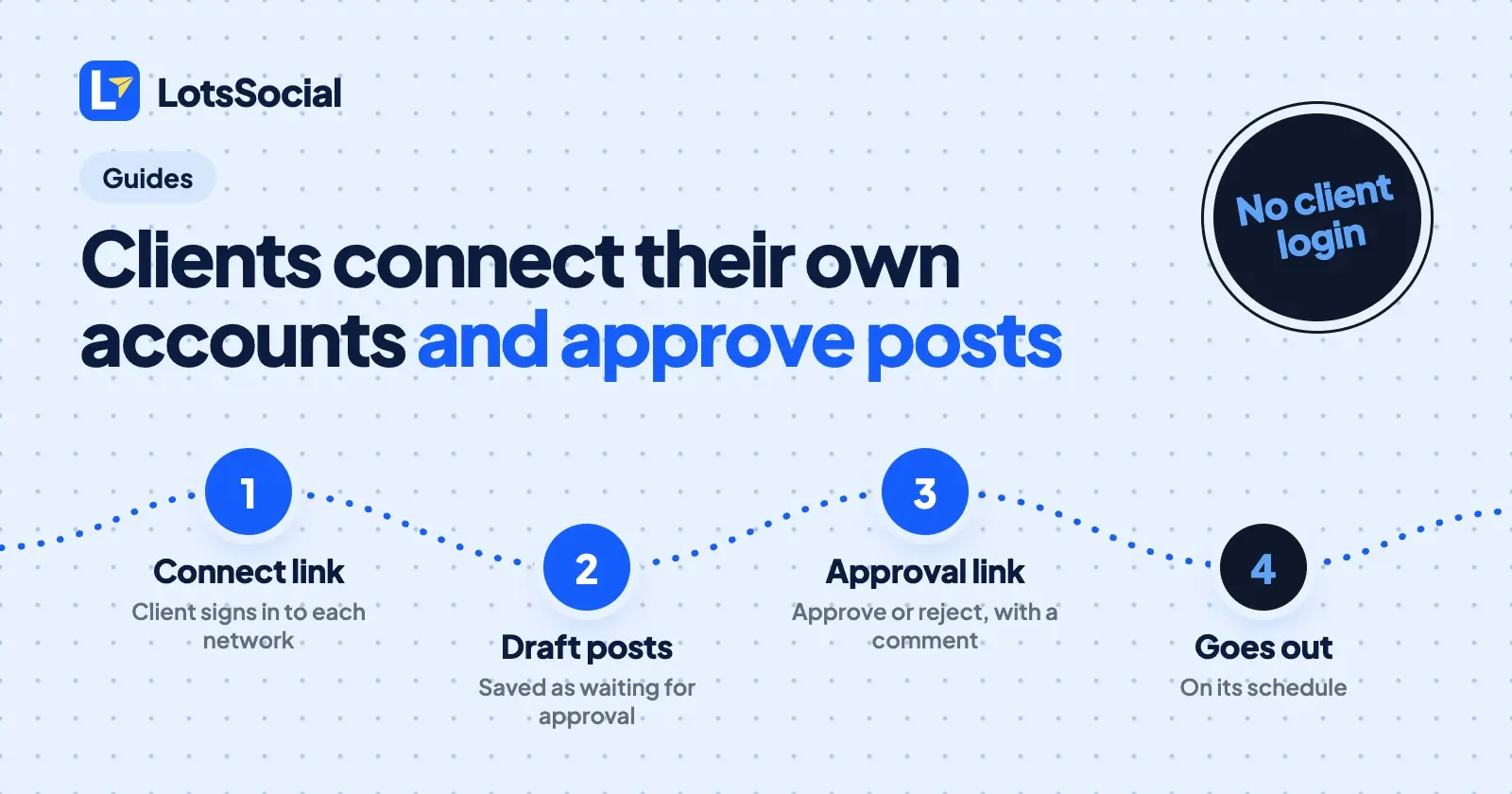
A social media scheduler for agencies has to solve two problems: getting into a client's accounts without their passwords, and getting posts signed off before they go out. In LotsSocial you send a client one link to connect their own Instagram, LinkedIn, Facebook and other accounts, and a second link to approve or reject each post. Neither link needs a LotsSocial login, and a post waiting for approval never publishes.
You can do all of it from your AI agent (ChatGPT, Claude or any agent with remote MCP support) or from the LotsSocial dashboard. Both use the same links and the same rules. Below are the steps, what your client sees, and what the agent can and can't do. I checked every detail against LotsSocial's tool list, skill file and changelog on 27 October 2026.
Client connect links and approval links at a glance
| Client connect link | Client approval link | |
|---|---|---|
| What the client does | Connects their own accounts on each network's own sign-in page | Approves or rejects each post, with an optional comment |
| LotsSocial login for the client | None | None |
Tool call (get_connect_link) | purpose: "client", a label, usually a brand_id | purpose: "approval", a brand_id (required), a label, optionally post_ids |
| How long it lasts | 1 to 7 days (expiry_days, 7 by default) | 1 to 7 days (7 by default) |
| Who can create it | Workspace owners, admins and managers | Workspace owners, admins and managers |
| Shown to you | Once, when you create it | Once, when you create it |
| What you see afterwards | Status, networks, accounts connected (list_connect_links) | Posts, views and decisions (list_connect_links with purpose: "approval") |
| Stop it | revoke_connect_link or the Accounts page | revoke_connect_link or the Accounts page |
| In the dashboard | Accounts, Client connect links | Accounts, Client approval links |
Step 1: Give each client a brand
A brand is a named group of connected accounts, one per client. Everything a client connects is filed under their brand, and posts are written for one brand at a time, so one client's captions can't land on another client's accounts. Brands, workspaces and team members are unlimited on every plan.
Ask your agent:
Create a brand called Acme Bakery.
The agent calls create_brand. In the dashboard, the same thing is the brand grouping on the Accounts page.
Step 2: Send the client a connect link
Ask your agent:
Create a client connect link for Acme Bakery, filed under the Acme Bakery brand, valid for 7 days.
The agent calls get_connect_link with purpose: "client", the client's name as the label and the brand's ID. You can limit the page to one network with platform, or leave it off to offer all 12. LotsSocial returns the URL once and keeps a hash of it, so copy it and send it to your client straight away. You send the link yourself, by email or chat.
In the dashboard, go to Accounts and use Client connect links: name the link, pick the brand, create it and copy the URL.
Step 3: What your client sees
The client opens the link in any browser and sees a Connect your accounts page. They choose a network and sign in on that network's own page, the same way you would connect an account yourself. They never create a LotsSocial account and never hand you a password.
The page lists the accounts connected through that link and nothing else. It never shows your workspace's other accounts or your other clients. Networks keep their usual requirements: Instagram needs a professional account, Facebook posts go to a Page, Bluesky uses an app password, and Mastodon asks for the server address. How to connect your social accounts to your AI agent lists each network's requirements.
Step 4: Check the link and stop it when you need to
Ask "which client links are still open?" and the agent calls list_connect_links. Each row shows the label, brand, status (active, expired or revoked), expiry date and how many accounts came through it. The URL is never shown again. To stop a link, the agent calls revoke_connect_link. Accounts the client already connected stay connected.
Step 5: Write the posts and ask for approval
When a client signs off on posts, your agent saves them with request_approval: true. A post saved this way is waiting for approval: it never publishes, whether it is scheduled or you try to publish it now. Ask:
Draft three LinkedIn and Instagram posts for Acme Bakery's autumn menu, schedule them for next week and save them as waiting for client approval.
Your agent writes the posts; LotsSocial checks each network's rules and holds them. Then ask for the link:
Create a client approval link for Acme Bakery, label it "Acme Bakery, autumn posts", valid for 5 days.
The agent calls get_connect_link with purpose: "approval" and the brand's ID. Pass post_ids (up to 100 posts of that brand) to send specific posts, or leave it off to show every post of that brand that is waiting. Send the URL to your client. Like the connect link, it is shown once.
In the dashboard, open the Client approval links card on the Accounts page, choose the brand and the expiry, tick Only these posts to pick posts, and create the link.
Step 6: What your client does with an approval link
The client sees "Posts for" their brand: each post's text, media, the networks it goes to and when it is scheduled. They can add their name, so you know who answered. For each post they choose Approve or Reject and can write a comment on either. They don't need an account.
An approved post goes out on its schedule. A rejected post stays held and nothing is deleted.
Step 7: Read the answers and fix what was rejected
Ask "what did Acme Bakery say?" The agent reads approval_status (none, pending, approved or rejected) and client_feedback (the decision, the comment and the reviewer's name) from get_social_post or list_social_posts. In the dashboard, post cards show "Waiting for client", "Approved by client" or "Rejected by client" with the client's comment, and you get a notification for each answer.
For a rejected post, ask the agent to change it the way the client asked:
Rewrite the rejected Acme Bakery post using their comment and save it.
A changed caption, title, link, networks or media puts the post back to waiting, and it appears again on the same link. This applies to approved posts too: edit the text of an approved post and the client is asked again. Moving only the scheduled time does not ask again.
What your agent can't do
Your agent can ask for approval, but it can never approve or reject for your client. No tool does it, and publish_now on a post that is waiting for the client is refused. A client's yes has to come from the client. See what your agent can and can't do with your accounts for the rest of the permissions.
What it costs for an agency
An account a client connects counts as a connected account, paid like any other: from your plan, then from credits. Posts, brands, workspaces and team members are unlimited.
| Plan | Connected accounts | Monthly | Yearly |
|---|---|---|---|
| Starter | 12 | $20 | $200 |
| Pro | 40 | $59 | $590 |
| Business | 150 | $149 | $1,490 |
Without a plan, each connected account is $2 a month from credits. Extra accounts on a plan cost your plan's rate. New accounts get 5,000 free credits, valid 90 days, no card. Pro and Business plans include LotsNotes Pro. Prices checked on 27 October 2026 at lots.social/pricing; LotsSocial pricing explained has the detail, and LotsSocial for agencies covers the agency setup.
Give your agent this
If your agent isn't connected to LotsSocial yet, add https://api.lots.social/mcp as a remote MCP server, then paste:
Read https://lots.social/skill.md. For my client Acme Bakery, create a brand, send me a client connect link for it, and when they have connected, draft two posts and save them as waiting for client approval. Then give me an approval link for the client.
Common questions
Does my client need a LotsSocial account?
No. Both links open in any browser. The client signs in to each social network on that network's own page when connecting, and approves posts without signing in to anything.
How long do the links last?
Up to 7 days. Set expiry_days between 1 and 7; the default is 7. You can revoke a link earlier. You'll need a new link after it expires.
Can a client see my other clients or my workspace?
No. A connect link's page lists the accounts connected through that link and nothing else. An approval link reaches the posts of one brand that are waiting for approval, and nothing else.
What happens if a client rejects a post?
It stays held and nothing is deleted. You see the rejection and the client's comment, change the post, and it waits for approval again on the same link.
Can my AI agent approve a post for the client?
No. The agent can request approval and read the client's answer, but it can never approve or reject for them. A post that is waiting or rejected never publishes.
Which networks can a client connect?
All 12 LotsSocial supports: LinkedIn, Instagram, X, Facebook, Threads, Bluesky, Mastodon, TikTok, YouTube, Pinterest, Reddit and Google Business. A link offers every network unless you limit it to one with platform.
Details checked on 27 October 2026 from api.lots.social/docs.md, tools.json, skill.md and the LotsSocial changelog. Prices from the LotsTech pricing catalogue.