 LotsSocial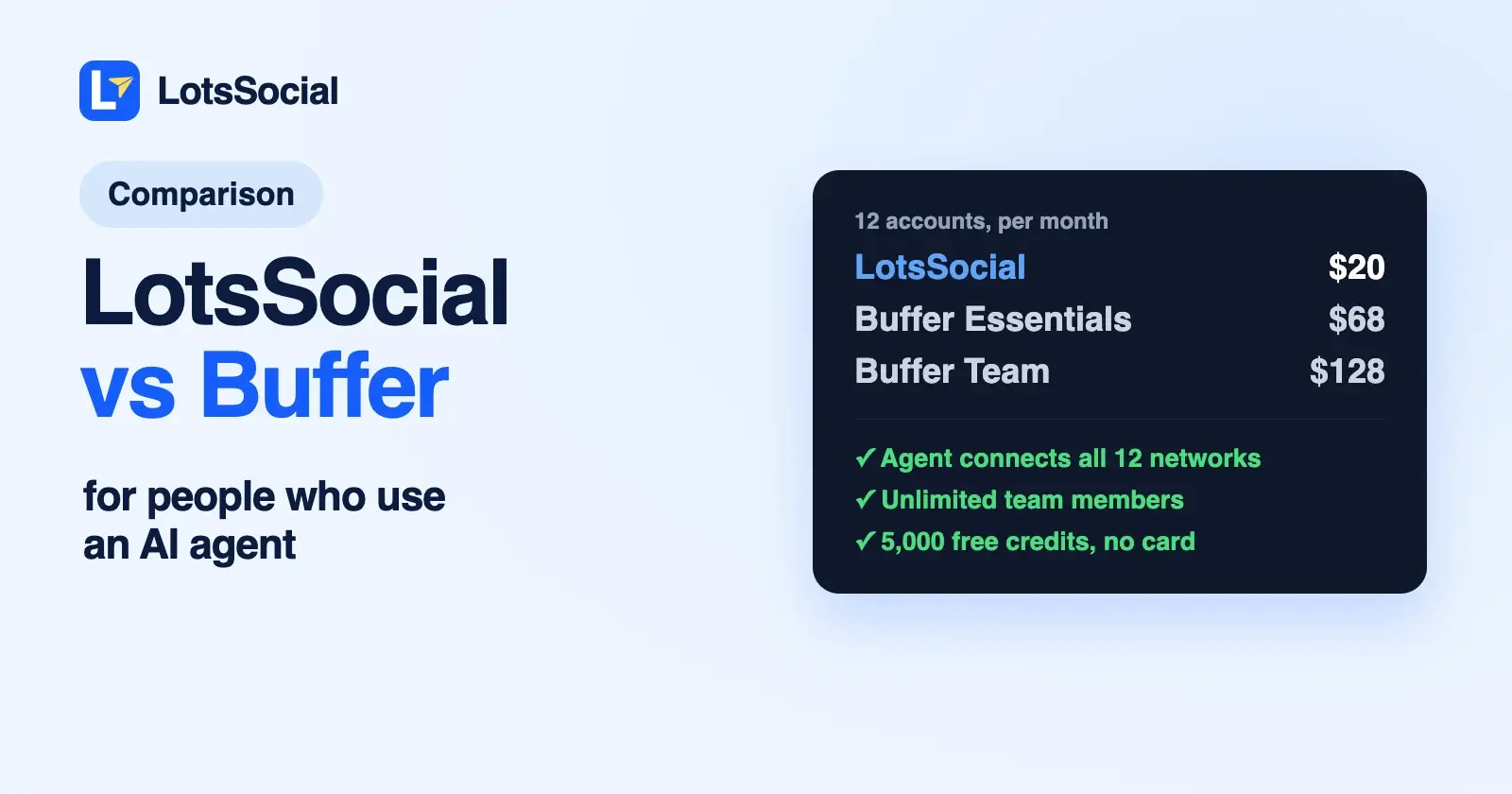
LotsSocial and Buffer both have an MCP server, so you can schedule posts from ChatGPT, Claude, Codex or Cursor with either one. LotsSocial is the better Buffer alternative for AI agents if you run more than a few accounts or work with a team: 12 accounts cost $20 a month against $68 on Buffer Essentials, team members are unlimited on every plan, and your agent can connect new accounts itself.
Buffer is the stronger pick if you want a free plan for up to 3 channels, or a full dashboard with a comment inbox, link-in-bio page and mobile apps.
Everything about Buffer below comes from its own pricing page, MCP page and developer docs, checked on 15 October 2026, with links at the end.
LotsSocial vs Buffer at a glance
| LotsSocial | Buffer | |
|---|---|---|
| Built for | Anyone who uses an AI agent and wants it to run their social accounts | A social media dashboard, with an MCP server and API added on top |
| MCP server | https://api.lots.social/mcp, on every plan | https://mcp.buffer.com/mcp, on every plan including Free |
| Agent sign-in | Browser sign-in (OAuth). API key for REST | OAuth for Claude, ChatGPT, Codex and Cursor. API key for other clients |
| Your agent connects new accounts | Yes, on all 12 networks | No. Buffer's MCP tools and API have no way to add a channel, so you connect channels in the Buffer app |
| Pricing | 12 accounts for $20, 40 for $59, 150 for $149 a month. Or $2 per account per month, no plan | Per channel: Essentials from $6, Team from $12 a month, cheaper per channel above 10 |
| Free start | 5,000 free credits, valid 90 days, no card | Free plan: 3 channels, 10 scheduled posts per channel. 14-day trial of paid plans |
| Team members | Unlimited on every plan | 1 user on Free and Essentials. Unlimited on Team |
| Posts | Unlimited | 10 scheduled per channel on Free. Unlimited on paid plans (fair use cap of 5,000 per channel) |
| Agent request limits | Per minute (100 requests a minute per API key) | 100 per 15 minutes, 250 a day (500 on Team), 3,000 to 15,000 a month by plan |
| Networks | 12, including Reddit | 12, including Substack. No Reddit |
Where LotsSocial is the better choice
It costs a fraction of Buffer once you pass a handful of accounts
Buffer charges per channel. On monthly billing, Essentials is $6 a channel for your first 10 channels, then $4 each up to 25, $3 up to 50 and $1 beyond. Team, which you need for more than one user, is $12 a channel for the first 10, then $4, $3 and $2.
LotsSocial charges per block of accounts. Starter covers 12 accounts for $20 a month, Pro covers 40 for $59 and Business covers 150 for $149, with two months free if you pay yearly. Without a plan, you pay $2 per connected account per month from credits, charged daily for the accounts you hold. Posts, media storage, brands, workspaces and team members are unlimited either way, and Pro and Business include LotsNotes Pro. The full breakdown is in LotsSocial pricing explained.
Here is what each costs per month on monthly billing, with Buffer's totals worked out from its own per-channel rates:
| Accounts you connect | LotsSocial | Buffer Essentials (1 user) | Buffer Team (unlimited users) |
|---|---|---|---|
| 5 | $10 (pay as you go) | $30 | $60 |
| 12 | $20 (Starter) | $68 | $128 |
| 40 | $59 (Pro) | $165 | $225 |
| 150 | $149 (Business) | $295 | $455 |
The gap is widest for teams. A small agency with 12 accounts and three people pays $20 on LotsSocial and $128 on Buffer Team, because Essentials allows one user.
Your agent can connect your accounts
Ask your agent to connect LinkedIn, and LotsSocial gives it a secure link. You open it, approve on LinkedIn's own page, and the agent confirms the new account. The link works for an hour and can connect several accounts in one visit, on any of the 12 networks, including a LinkedIn Page, Bluesky, Mastodon and Reddit. I wrote up the whole flow in how to connect your social accounts to your AI agent.
Buffer's MCP server can list your channels and read their settings, but its tools and its GraphQL API have no call to connect a new one. You add channels in the Buffer app first, then your agent can post to them.
A week of posts in one call
LotsSocial's bulk_create_social_posts saves up to 50 drafts or scheduled posts for a set of accounts in a single call, and create_social_post sends one post to several accounts at once, with a different caption per account if you want it.
Buffer's create_post tool posts to one channel per call, and every call through Buffer's MCP server counts against its API limits: 250 requests a day on Free and Essentials, 500 on Team, and 3,000, 7,500 or 15,000 a month. Buffer's docs say so plainly and suggest prompting your agent to pace itself. LotsSocial's API docs set limits per minute (100 requests a minute per key by default), so a long planning session doesn't eat into a monthly allowance.
Your whole team, on every plan
Team members are unlimited on LotsSocial with no per-seat charge, whether you're on a plan or paying as you go. On Buffer, Free and Essentials include one user, and adding people means moving every channel to Team at twice the Essentials rate for your first 10.
Checks before a post is saved
LotsSocial checks every post against each account before saving it: caption limits per account (a free X account and a Premium one get different limits), required media for Instagram, TikTok, YouTube and Pinterest, and media formats. Your agent can dry-run a post with validate_social_post and fix what's wrong while you're still in the conversation. Where it can, LotsSocial creates a compatible version of your image or video and keeps your original.
Both cover 12 networks, and eleven overlap: LinkedIn, Instagram, X, Facebook, Threads, Bluesky, Mastodon, TikTok, YouTube, Pinterest and Google Business. LotsSocial adds Reddit, with the subreddit, title and flair set per post. Buffer adds Substack, plus its own Start Page.
What Buffer offers
A free plan with MCP included. Buffer's Free plan covers 3 channels with 10 scheduled posts each, and MCP access is included on every plan, Free too. If you post to two or three accounts and don't schedule far ahead, that's hard to beat.
A mature dashboard around the agent. Buffer has a community inbox for replying to comments, an AI Assistant, analytics with reports, a Start Page link-in-bio, a browser extension, and iOS and Android apps. Team adds approval workflows and per-channel access levels.
Broad agent coverage. Buffer documents setup for Claude, Claude Code, ChatGPT, Codex, Cursor, Grok, Manus, Notion, Perplexity, Raycast and Antigravity, plus Zapier and n8n. Its MCP tools also cover ideas and post templates.
Discounts. Buffer offers 50% off paid plans for nonprofits, and a 14-day free trial of Essentials and Team.
Which one should you choose?
Choose LotsSocial if:
- You use ChatGPT, Claude, Claude Code, Codex, Cursor or another AI agent and want it to run your social posts, including connecting new accounts.
- You manage more than a handful of accounts: from 5 accounts up, LotsSocial costs about half of Buffer Essentials or less.
- You work with a team, or may add people later, without paying per channel for Team.
- You plan posts in batches and don't want a daily request cap.
- You post to Reddit.
Choose Buffer if:
- You post to three or fewer channels and want a free plan.
- You want a dashboard with a comment inbox, link-in-bio page and mobile apps alongside your agent.
- You publish to Substack.
Moving from Buffer to LotsSocial with your agent
You can keep Buffer connected while you move. Add LotsSocial to your agent (setup guides for each agent), or give it this and let it set itself up:
Read https://lots.social/skill.md and help me connect LotsSocial for you.
Then, with both connected, ask:
List my channels in Buffer and give me a LotsSocial connect link for the same networks. When I've approved them, list my connected LotsSocial accounts. Then read my scheduled Buffer posts for the next two weeks, check each one with validate_social_post, and save them as LotsSocial drafts on the matching accounts with the same text and times. Show me the list before you schedule anything.
Your agent uses Buffer's list_channels and list_posts, then LotsSocial's get_connect_link, list_connected_accounts, validate_social_post and create_social_post. For posts with images or video, it can store each file in LotsSocial from its link with upload_media first. Once you've checked the drafts, ask it to schedule them and remove the old ones from your Buffer queue.
New LotsSocial accounts start with 5,000 free credits, no card. See pricing, compare other tools on lots.social/compare, or try LotsSocial for free.
Common questions
Does Buffer have an MCP server?
Yes. Buffer runs a remote MCP server at https://mcp.buffer.com/mcp. Claude, ChatGPT, Codex and Cursor sign in with OAuth; other clients use a Buffer API key as a Bearer header. Its tools list channels, create, edit and delete posts, save ideas and templates, and read post metrics.
Is Buffer's MCP free, and on which plan?
Buffer says MCP access is included on every plan, including Free. Requests count against the plan's API limits: 250 a day and 3,000 a month on Free, 250 a day and 7,500 a month on Essentials, and 500 a day and 15,000 a month on Team.
How much does Buffer cost per channel?
On monthly billing, Essentials is $6 per channel for channels 1 to 10, $4 for 11 to 25, $3 for 26 to 50 and $1 beyond. Team is $12, $4, $3 and $2 for the same bands. Yearly billing costs less, and the Free plan covers up to 3 channels.
Can my AI agent connect accounts in Buffer?
No. Buffer's MCP tools and API can list and read your channels, but not add one, so you connect channels in the Buffer app. With LotsSocial, your agent gets a connect link for any of the 12 networks, you approve on the network's own page, and the account appears in your list.
Is LotsSocial cheaper than Buffer?
For more than a few accounts, yes. Five accounts cost $10 a month on LotsSocial's pay as you go against $30 on Buffer Essentials, and 12 accounts cost $20 on Starter against $68. With a team, Buffer Team costs $128 for 12 channels, while LotsSocial includes unlimited team members on every plan. Buffer's Free plan is free for up to 3 channels.
Can I use LotsSocial with ChatGPT and Claude?
Yes. LotsSocial works with ChatGPT, Claude, Claude Code, Codex, Cursor, Gemini CLI and any client that supports remote MCP servers, and there's a REST API for scripts. For other agent-first tools, see LotsSocial vs Post Bridge, LotsSocial vs Postiz and the best social media schedulers with MCP support.
Buffer details checked on 15 October 2026 from Buffer pricing and its machine-readable pricing, the Buffer MCP page, MCP tools and setup, Claude and ChatGPT setup, API rate limits and the API reference. Prices and features change; check their pages for the latest.