 LotsSocial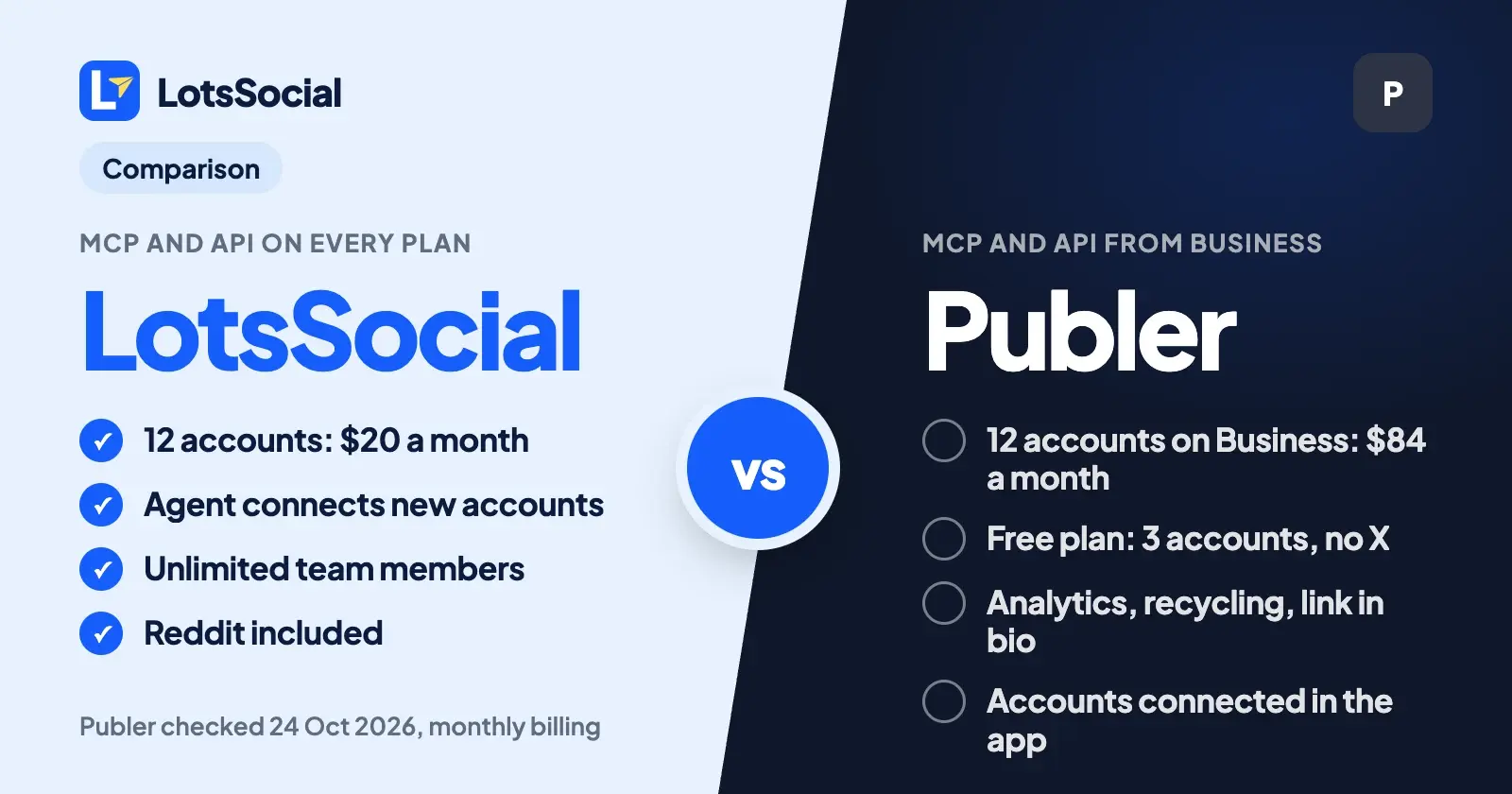
LotsSocial and Publer both let an AI agent schedule your posts, but they gate it differently. On LotsSocial, MCP and the REST API are on every plan, from $2 per connected account. On Publer they start on the Business plan, which costs $84 a month for 12 accounts against $20 for 12 on LotsSocial Starter.
Publer is the better pick if you post to three accounts or fewer and want a free plan, or you want its analytics, recycling and link-in-bio tools in one dashboard.
Everything about Publer below comes from its own pricing page, help center and API docs, checked on 24 October 2026, with links at the end.
LotsSocial vs Publer at a glance
| LotsSocial | Publer | |
|---|---|---|
| Built for | Anyone who uses an AI agent and wants it to run their social accounts. The dashboard does the whole job too | A full social media dashboard, with MCP and API added on its Business plan |
| MCP server | https://api.lots.social/mcp, on every plan | https://mcp.publer.com, on Business and Enterprise only |
| REST API | On every plan | Business (in good standing) and Enterprise only |
| Agent sign-in | Browser sign-in (OAuth). API key for REST | OAuth, or an API key whose scopes limit what the agent can do |
| Your agent connects new accounts | Yes, on all 12 networks, with a secure link you approve | Not in its API docs or MCP help: accounts are connected in the Publer app |
| Pricing | 12 accounts for $20, 40 for $59, 150 for $149 a month. Or $2 per account per month, no plan | Per account, per month: Professional $4, Business $7 at 12 accounts (monthly: $48 and $84) |
| 12 accounts with agent access, monthly billing | $20 (Starter) | $84 (Business) |
| Free start | 5,000 free credits, valid 90 days, no card | Free plan: 3 accounts (not X), 10 scheduled posts per account. 7-day trial of Professional, 14-day trial of Business |
| Team members | Unlimited on every plan | Owner included. Each extra member adds to the price |
| Networks | 12, including Reddit | 12 in its API docs, including Telegram. No Reddit |
| Agent request limit | 100 requests a minute per API key | 100 requests per 2 minutes |
Where LotsSocial is the better choice
Agent access is on every plan
Publer's MCP server and API both sit behind the Business plan. Publer's help center says so in plain words: MCP is available on the Business and Enterprise plans, and API access is for eligible Business customers in good standing and Enterprise customers. The Free and Professional plans have neither.
LotsSocial includes both on every plan, and on pay as you go with no plan at all. Connect ChatGPT, Claude, Claude Code, Codex, Cursor or any client with remote MCP, or call the REST API from a script. The dashboard does everything the agent does, so you can switch between them mid-task. Setup guides for each agent are on the LotsSocial site.
The price per account is a fraction of Publer Business
Because Publer's agent access starts on Business, the fair comparison is Business against LotsSocial. These are monthly-billing prices for the same number of connected accounts, with no extra team members:
| Accounts you connect | LotsSocial | Publer Professional (no agent access) | Publer Business (MCP and API) |
|---|---|---|---|
| 3 | $6 (pay as you go) | $12 | $21 |
| 5 | $10 (pay as you go) | $20 | $35 |
| 12 | $20 (Starter) | $48 | $84 |
| 40 | $59 (Pro) | $160 | $280 |
| 150 | $149 (Business) | $600 | $1,050 |
At 12 accounts, LotsSocial costs roughly a quarter of Publer Business. At 40 it is about a fifth, and at 150 about a seventh. Yearly billing doesn't change the picture: Publer Business at 12 accounts is $61.60 a month billed yearly, and LotsSocial Starter is $200 a year.
LotsSocial charges per block of accounts. Starter covers 12 accounts, Pro covers 40 and Business covers 150, with two months free if you pay yearly. Without a plan, you pay $2 per connected account per month from credits, charged daily for the accounts you hold. Posts, media storage, brands, workspaces and team members are unlimited either way. Pro and Business also include LotsNotes Pro. The full breakdown is in LotsSocial pricing explained. To see Publer next to other schedulers on price per account, read the cheapest social media scheduler.
Your whole team, with no per-member charge
Publer prices extra members on top of accounts. At 12 accounts on monthly billing, adding two members raised Publer's price by $4 on Professional and $6 on Business. LotsSocial team members are unlimited on every plan, so an agency can add every strategist and client contact without changing the bill. Your agent can invite them too, with invite_workspace_member.
Your agent can connect your accounts
Ask your agent to connect LinkedIn, and LotsSocial gives it a secure link. You open it, approve on LinkedIn's own page, and the agent confirms the new account. The link works for an hour and can connect several accounts in one visit, on any of the 12 networks. For an agency, get_connect_link can also make a link for a client, who connects their own accounts without a LotsSocial login. I wrote up the whole flow in how to connect your social accounts to your AI agent.
Publer's API documents listing and reading accounts, and its MCP help article lists connected accounts, drafts and scheduling in its example prompts. I found no call to connect a new account in either, so you add accounts in the Publer app first, then your agent can post to them.
A week of posts in one call
LotsSocial's bulk_create_social_posts saves up to 50 drafts or scheduled posts for a set of accounts in a single call, and create_social_post sends one post to several accounts at once, with a different caption per account if you want it. Your agent can dry-run any post with validate_social_post, which checks caption limits per account, required media for Instagram, TikTok, YouTube and Pinterest, and media formats, before anything is saved.
Reddit and Pinterest fields
Eleven of LotsSocial's networks appear in Publer too: LinkedIn, Instagram, X, Facebook, Threads, Bluesky, Mastodon, TikTok, YouTube, Pinterest and Google Business. LotsSocial adds Reddit, with the subreddit, title and flair set per post, and Pinterest posts take a board, title and link. Publer's API docs list Telegram, and WordPress sites as an account type, which LotsSocial doesn't cover.
What Publer offers
A free plan for three accounts. Publer's Free plan covers 1 user, 1 workspace and 3 social accounts (not X), with 10 scheduled posts per account, 25 saved drafts and a 24-hour post history. If you post to two or three accounts and schedule a few days ahead, it costs nothing.
A low entry price for one account. Professional starts at $5 a month for one account ($4 billed yearly), and includes X, unlimited scheduling and drafts, unlimited workspaces, RSS automations and first-comment scheduling. Business starts at $10 ($8 yearly). Both have a free trial: 7 days for Professional and 14 days for Business.
A deep dashboard. Business adds analytics insights and reports, best times to post, competitor analysis, hashtag suggestions and analytics, and spintax-powered post recycling. Publer's features also include bulk scheduling of up to 500 posts from a CSV file, a Linkie link-in-bio page, a browser extension, a mobile app, a calendar planner and approval workflows for members. If those are what you pay for, Publer is built around them.
Agent setup help for four clients. Publer's help center has connection guides for Claude (web, desktop and Claude Code), ChatGPT, Cursor and Grok. The MCP server accepts OAuth, or an API key whose scopes (posts, media, analytics) decide what the agent can touch.
Which one should you choose?
Choose LotsSocial if:
- You use ChatGPT, Claude, Claude Code, Codex, Cursor or another AI agent and want it to run your social posts, including connecting new accounts.
- You want MCP and REST access without paying for a higher plan first.
- You manage more than a handful of accounts: from 5 accounts up, LotsSocial costs half of Publer Professional or less, and less still against Business.
- You work with a team or clients and don't want a per-member charge.
- You post to Reddit.
Choose Publer if:
- You post to three accounts or fewer, don't need X, and want a free plan.
- You want recycling, competitor analysis, a link-in-bio page and a mobile app in the same dashboard.
- You publish to Telegram or WordPress.
- You post to one or two accounts on a small budget and don't need an agent.
Moving from Publer to LotsSocial with your agent
You can keep Publer connected while you move. Add LotsSocial to your agent, or give it this and let it set itself up:
Read https://lots.social/skill.md and help me connect LotsSocial for you.
Then ask:
List my connected accounts in Publer and my scheduled posts for the next two weeks. Next, get me a LotsSocial connect link for the same networks. When I've approved them, run list_connected_accounts. Then check each Publer post with validate_social_post and save it as a LotsSocial draft with create_social_post on the matching account, with the same text and time. Use bulk_create_social_posts for batches. Show me the list before you schedule anything.
Your agent reads the Publer side through Publer's MCP (Business plan) or from posts you paste into the chat, then uses LotsSocial's get_connect_link, list_connected_accounts, validate_social_post and create_social_post. For posts with images or video, it can store each file in LotsSocial from its link with upload_media first. Once you've checked the drafts, ask it to schedule them and remove the old ones from your Publer queue.
New LotsSocial accounts start with 5,000 free credits, valid 90 days, no card. See pricing, compare other tools on lots.social/compare, or try LotsSocial for free.
Common questions
Does Publer have an MCP server?
Yes. Publer's MCP server is at https://mcp.publer.com, on the Business and Enterprise plans. You connect with OAuth, or with an API key whose scopes limit what the agent can do. Publer's help center has setup guides for Claude, ChatGPT, Cursor and Grok. LotsSocial's MCP server is at https://api.lots.social/mcp, on every plan.
Which Publer plan includes API and MCP access?
Business and Enterprise. Publer says API access is for Enterprise customers and Business customers in good standing, with no failed or locked subscriptions. The Free and Professional plans don't include API or MCP access.
How much does Publer cost per account?
Publer prices by number of social accounts. On monthly billing, Professional is $12 for 3 accounts, $20 for 5, $48 for 12 and $160 for 40. Business, with MCP and API, is $21 for 3, $35 for 5, $84 for 12 and $280 for 40. Yearly billing costs less, and the Free plan covers 3 accounts without X.
Is there a free Publer alternative with MCP?
LotsSocial gives new accounts 5,000 free credits, valid 90 days, no card, with MCP and REST included. After that, LotsSocial is $2 per connected account per month with no plan, or $20 for up to 12 accounts on Starter. Publer's Free plan has no MCP, so a free Publer account can't be connected to an agent.
Can my AI agent connect accounts in Publer?
Publer's API docs and MCP help show your agent listing and reading connected accounts, and I found no call to connect a new one, so you connect accounts in the Publer app. With LotsSocial, your agent gets a connect link for any of the 12 networks, you approve on the network's own page, and the account appears in your list.
Is LotsSocial cheaper than Publer?
For more than a few accounts, yes. Twelve accounts cost $20 a month on LotsSocial Starter, against $48 on Publer Professional and $84 on Publer Business, the plan with MCP. At 3 accounts Publer's Free plan costs nothing, but doesn't include X or agent access. For other agent-first tools, see LotsSocial vs Buffer, LotsSocial vs Postiz and the best social media schedulers with MCP support.
Publer details checked on 24 October 2026 from Publer pricing (account selector read at 1, 3, 5, 10, 12, 40 and 150 accounts, with and without extra members), how to set up and use Publer's MCP server, how to connect Claude with Publer's MCP, does Publer have a public API, how to access the Publer API, and the Publer API docs for authentication, rate limits, accounts and networks. LotsSocial details from lots.social/pricing, skill.md, tools.json and the API docs. Prices and features change; check their pages for the latest.